
Here’s a simple truth about building things: plans change. No matter how perfect the plan, every project will have adjustments. Construction change order management is how you handle these changes without messing up your budget or your timeline. It's the official, written system for managing any change that comes up after the first contract is signed.
Understanding Construction Change Orders
Think of a change order as an official update to the project’s rulebook—the contract. It’s a formal paper that describes a change to the project's work, cost, or schedule. Without a good system, changes can create a mess. With one, you have a controlled process that everyone understands.
Let’s say a client decides they want better, energy-saving windows after the original windows have already been ordered. This isn’t a simple swap. It affects material costs, work schedules, and might even delay the project's finish date.
Without a solid change order process, a request like this can lead to arguments, surprise costs, and big delays. A proper change order figures out all the impacts, gets it in writing, and gets everyone to agree before any new work starts.
Why You Really Need a Formal Process
A handshake deal or a quick "go ahead" in an email is not enough when a lot of money is involved. A formal system for handling change orders protects your business, your client, and the project.
- Financial Protection: It’s the only way to make sure you get paid for extra work that wasn't in the original contract.
- Legal Clarity: It creates a paper trail—a legal record of every approved change. This is your best defense if there’s ever an argument.
- Clear Communication: A formal process makes everyone communicate clearly. It ensures the client, the architect, and the workers are all on the same page about what’s changing and why.
- Project Control: It’s how you keep control of the budget and schedule, keeping track of every single adjustment.
A strong change order process lets you manage solutions instead of just reacting to problems. It gives you a way to handle changes like a pro, keeping projects profitable and clients happy.
How Often Change Orders Happen
Changes aren't rare; they happen all the time. But just how common are they? One big study looked at over 892,000 change orders. It found that small projects had about 1.7 change orders, while large ones had more than 11.
The lesson is clear: the bigger the job, the more you need a perfect system for managing changes.
Every change order, big or small, needs to be written down with the right information. This isn't just for good records; it's for clear communication and legal protection.
What's in a Change Order
Here’s a list of what must be in every change order you create.
| Part | Why It's Important |
|---|---|
| Project & Contract Info | Clearly names the project and points to the original contract being changed. |
| Detailed Scope Change | Describes exactly what work is being added, removed, or changed. Being unclear is a big mistake. |
| Cost Breakdown | Shows the impact on the budget, including materials, labor, and any extra fees. |
| Schedule Impact | Says how many days will be added to or taken from the original project schedule. |
| Signature & Date Lines | Has space for the right people to sign and date it, which makes it official. |
Getting these parts right every time is key to keeping your projects on track.
This guide will show you how to set up that system. We’ll cover everything from the first request to the final signature. This will give you the tools for more successful, less stressful projects. For a broader look, check out our guide on construction project management basics.
Why Change Orders Happen in Construction

Change orders don't just happen for no reason. They are a normal part of any building project. Figuring out why they happen is the first step to good construction change order management. Once you know the common reasons, you can plan for them instead of just reacting to them.
Most changes fall into a few main groups. Some are because the project owner wants something different, while others pop up on the job site. Knowing the difference helps you get ready for the talks—and the paperwork—that are sure to come.
Owner-Driven Scope Changes
This is one of the most common reasons for a change order. A client might get a new idea or just change their mind after the project has started. It’s not a bad thing; it just means their idea for the project is growing.
For example, a homeowner might decide they want a built-in sound system after the walls are already up. Or a business client might ask for another office wall. These changes, sometimes called scope creep, alter the original plan and need a formal change order to adjust the budget and timeline.
Owner requests are not a problem—they show the client cares. Your job is to capture these new ideas in a process that protects everyone.
Changing materials is another common reason. A client might see a nicer tile they like better than the one in the contract. Or, the original material might not be available. Either way, it needs a written change.
Design Errors and Omissions
Even the best plans can have mistakes. You often don't find an error or missing detail in the plans until your crew is on-site trying to build it.
Here are a few common examples:
- Plans Don't Match: The architect's drawings might show a window right where the building plans show a support beam.
- Wrong Materials Listed: A material listed in the plans might not be allowed by local building rules, forcing a last-minute change.
- Missing Details: The plans might not have enough detail for a tricky job, leaving your team to figure it out and write down the new plan.
These design problems almost always lead to a change order because they involve work that wasn't in the original price. Research shows that design mistakes and poor planning are major reasons for change orders, which affects the project's cost and schedule. You can find more details in this systematic analysis of change order causes.
Unforeseen Site Conditions
Sometimes, the biggest surprises are hidden underground. Unforeseen site conditions are problems that you couldn't have known about before the work started.
For example, your crew might start digging for a foundation and hit a huge layer of rock that wasn't in the soil report. Removing it needs different tools and more work, which calls for a change order. Other hidden problems could be finding old pipes or bad soil that needs to be fixed. This is where good change order management is key, along with having the right team. You can read our advice on how to hire subcontractors for these kinds of special jobs.
A Practical Process for Documenting Change Orders
Good paperwork is what saves your profit when project plans change. A sloppy or messy system for construction change order management is a quick way to lose money, delay projects, and have arguments. To keep your business healthy, you need a clear, repeatable process for writing down every single change—no exceptions.
This isn't about creating more paperwork. It's about turning possible chaos into a controlled, professional process that makes sure every change is tracked, explained, and approved before it costs you money.
This picture breaks down the paperwork process into three main stages.
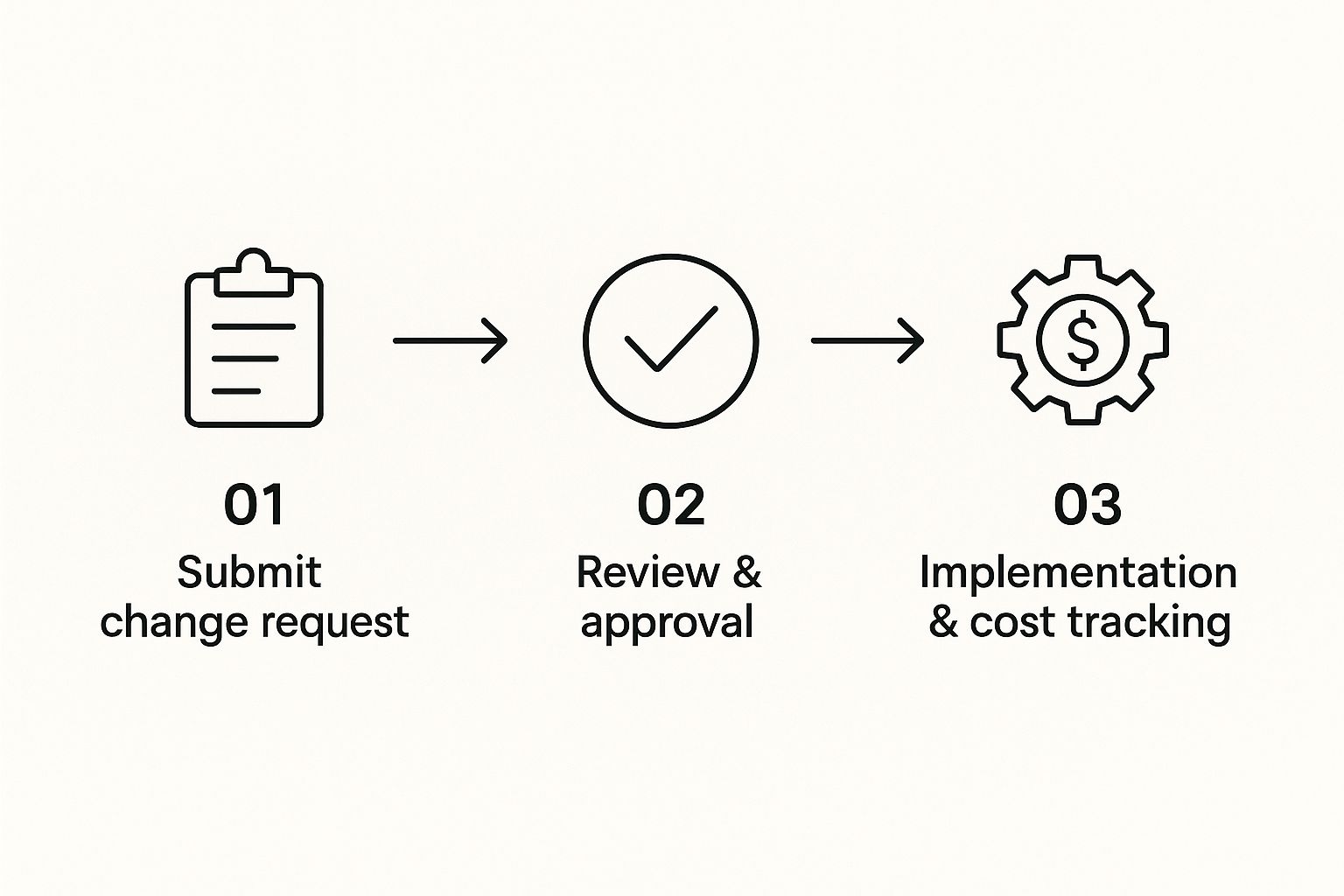
As you can see, a good change order always starts with a formal request, is carefully reviewed, and is then carried out while tracking costs.
The Initial Request and Justification
Every change order starts with a reason—an owner wants something new, a design has a mistake, or you find a surprise on site. The very first thing to do is officially note this reason with a document, often called a Change Order Request (COR). This isn't the final change order yet, but it’s the paper that gets things started.
Here’s a pro tip: take 'before' photos of the area. If a client wants to move a wall, take a picture of it where it is. If you find rock when digging, take photos and write a quick description before any more dirt is moved. This visual proof is hard to argue with and gives important background for the change.
Creating a Detailed Estimate
Once you've noted the need for a change, it's time to figure out the full impact. A rough guess is a sure way to lose money. Your estimate needs to be detailed, clear, and include every single cost.
Break everything down into clear groups:
- Materials: List every new item, from wood and wire down to the last screw and can of paint, with correct costs.
- Labor: Figure out the extra hours needed for your crew and any other workers, using their specific pay rates.
- Equipment: Include any new equipment you have to rent or extra time on your current machines to get the new work done.
- Schedule Impact: This part is very important. State exactly how many days this change will add to the project timeline. Using one of the top construction project scheduling software for 2025 can help you figure out these impacts accurately.
Don't forget to include your own time for managing the change. The hours you spend creating the estimate, talking to the client, and updating files is real work that you should be paid for.
Using a Standardized Change Order Form
Being consistent is your best friend when it comes to paperwork. Using the same standard Change Order Form for every single change reduces confusion and makes sure you never miss an important detail. This form is the official document that, once signed, changes the original contract.
Your form must include these key details:
- Unique Tracking Number: Give every change order a number (like CO-001, CO-002) so you can easily find it later.
- Clear Description: Explain exactly what work is being added or changed. Be specific and avoid confusing terms.
- Cost and Time Totals: Clearly state the final, agreed-upon cost and the number of days being added to the schedule.
- Signature Lines: You need spots for authorized people from your company and the client to sign, along with the date.
Once this form is signed by everyone, it becomes a legal part of your project contract. It's the final record that explains the work, protects your payment, and keeps the project moving forward with clear, agreed-upon terms.
How to Discuss and Negotiate Change Orders

Even with perfect paperwork, a change order can cause problems if it's not handled well. I’ve learned that good construction change order management is less about the papers and more about professional communication. How you talk about and negotiate these changes can be the difference between a smooth adjustment and a big argument.
The key is to treat it like you're solving a problem together, not fighting. You're not just giving bad news about extra costs; you're presenting a documented solution to a new project need. Having that mindset is key to keeping your relationship with the client strong.
Frame the Conversation in a Positive Way
When it’s time to show a client a change order, your timing and tone are everything. Don't just send an email with a new price. Schedule a quick call or meeting to walk the client through it. That personal touch shows you respect them and gives you a chance to explain things clearly.
I always start by reminding them of our shared goal: a successful project that they love. Then, I connect the change directly to what caused it—whether it was their request, a design problem, or a surprise on site. I use all the paperwork we talked about to calmly and clearly explain the effects.
Always present the change order as a joint solution. Instead of saying, "This is what it's going to cost you," try, "Here’s how we can handle the new request for the better flooring and keep the project moving." The first way sounds like a fight; the second sounds like teamwork.
This approach builds trust and shows you’re on their team. When a client sees you as a partner, they're much more likely to approve changes without a fuss.
Explain the Costs and Schedule Clearly
Being unclear is your worst enemy in a negotiation. Your client needs to know exactly what they’re paying for and why the timeline might be changing. Use your detailed estimate to break down the costs into simple groups like materials, labor, and equipment.
And please, don't use confusing industry words. Instead of saying, "We found bad soil," try something like, "The ground under the planned driveway is too soft. We need to add a stronger base material to keep it from cracking later." Simple, clear language helps the client understand why the change is needed.
Here’s a simple way to present the effects:
- Cost Adjustments: Show them the list of costs. Being open and honest is your best friend here.
- Schedule Changes: Explain how one change affects other things. For example, "Adding this work will take three extra days, which pushes our plumbing and electrical work back. The new finish date will be…"
This level of detail explains the numbers and makes a tough talk feel more like a normal business meeting.
Negotiation Tips for a Fair Outcome
Sometimes, a client will want to negotiate the price. It happens. If you’ve presented a well-documented and fair estimate, you’re already in a strong position. Remember, the goal isn’t to "win"—it's to find a fair result for everyone.
If a client complains about the cost, go back to the project details with them. I find it helpful to ask questions like, "Are there different materials we could use to help with the budget?" This keeps the conversation focused on finding a solution instead of just arguing over the price.
Good negotiation starts with good preparation. When you're dealing with complex site issues, like those involving buried pipes, a clear plan is a must. To learn more about that, you can read about the special work involved in underground utility services to better understand what can raise costs. By setting clear communication rules from day one, you turn a hard conversation into a professional one.
Using Technology to Simplify Change Orders
Are you tired of messy spreadsheets, lost paper forms, or searching through long email chains to find an approval? If your current construction change order management feels old, it’s time for an upgrade. Modern construction software has changed everything, turning a difficult manual process into a clean, simple workflow.
Imagine this: a change request is sent right from the job site on a tablet. It instantly tells the project owner, with photos of the problem and a detailed cost estimate. The client can review everything and approve the change with a secure digital signature from their phone. This isn't a dream—it's what today's tech can do.
Creating a Single Source of Truth
The biggest benefit of using special software is creating a single source of truth for every project. Instead of important information being spread across notebooks, text messages, and random computer files, everything about a change order is in one central place.
This gives everyone—from the crew in the field to the office staff to the client—a real-time view of the project's budget and timeline. When everyone is on the same page with the same updated info, mistakes and arguments almost disappear. This level of organization also helps in other key areas, since clear communication is vital for things like our guide on construction site safety tips.
Making the switch isn't just about moving faster. It’s about being more accurate, looking more professional, and staying in complete control of every change.
Key Features to Look For
When you look at construction management software, a few features are a must-have for making change orders easier. These tools are designed to work together, creating a smooth flow from the first request to the final payment.
Make sure the software you choose has:
- Mobile Access: Your team in the field needs to create and submit change orders directly from a smartphone or tablet. No excuses.
- Automated Workflows: The system should automatically send change requests to the right people for approval, sending alerts every step of the way.
- Digital Signatures: Getting approvals shouldn't mean printing paper. E-signatures make the process fast, simple, and legally binding.
- Financial Integration: The software must update the project budget in real-time as change orders are approved, so you always know exactly where your money stands.
Technology changes change order management from a messy paper chase into a smart, data-driven process. It gives you the clarity to make good decisions and keep projects profitable.
This move to digital tools is a huge trend. In fact, the market for construction management software is expected to reach $30.94 billion by 2031, which shows how important these tools have become. You can learn more about this growing market on hephaestus.vc. By investing in the right tech, you’re not just keeping up—you’re setting up your business for success.
Frequently Asked Questions About Change Orders
Even with the best system, questions about construction change orders will come up. Every project is different, but we've noticed the same questions come up over and over.
Getting clear answers helps you handle these talks with confidence and keeps your project on track. Let's look at some of the most common questions we hear.
Change Orders vs. Change Directives
This one causes a lot of confusion. What's the real difference between a change order and a change directive? They sound similar, but they are used for different reasons on a job site.
A change order is a formal agreement between both sides. It’s reviewed, discussed, and signed by both the contractor and the owner before the new work starts. It’s all about agreeing on the work, cost, and schedule changes.
A change directive, however, is an order from the owner to start a change right away, usually to avoid a costly delay. The work starts even before the final cost and time impacts are fully agreed upon. Think of it this way: a change order is a planned agreement, while a change directive is an order to keep the project moving while the details are figured out.
Who Is Responsible for Payment?
This is probably the most common question: who pays for a change order? The answer almost always depends on why the change was needed.
- Owner-Requested Changes: If the owner wants to add a feature or change the layout, the owner pays for it. It's their decision, so it's their cost.
- Design Errors or Omissions: When a change is needed because of a mistake in the plans, the owner usually pays the contractor for the extra work. The owner might then try to get the money back from their designer, but that's a separate issue.
- Contractor Errors: If our team or a worker makes a mistake—like installing the wrong material—that’s on us. The contractor is responsible for the cost of fixing it.
The secret to avoiding arguments over payment is a perfect paper trail. When your paperwork clearly shows the reason for the change, it’s easy to see who has to pay.
How Do You Prevent Disputes?
So, how can you avoid arguments over change orders? The best way is to use clear communication and great paperwork. This starts long before the first change request.
Your original contract needs a section that clearly explains how changes will be handled. This sets the rules from day one. From there, write down every single step, from the first verbal request to the detailed estimate and the final signed approval.
Most importantly, keep talking openly with your client. A clear and well-documented process builds trust and stops arguments before they can start. When clients see you’re organized, fair, and honest, they’re far more likely to see change orders as a normal part of building something great.
For a contractor you can trust to manage your project with clarity and professionalism, turn to Coastal Pipeline Inc. From underground utilities to paving, we deliver reliable infrastructure solutions built on a foundation of transparency and expertise. Learn more about our services at https://coastalpipelineinc.com.