Construction fleet management software is a digital tool for all your heavy equipment. It’s like a command center that answers the big questions every manager has: "Where's my excavator right now?" and "Is that dump truck due for an oil change?"
This technology gives construction companies a live view of every machine, from big cranes to pickup trucks. It helps you track, manage, and take care of everything more easily.
Understanding Your Digital Foreman
Think of your bulldozers, backhoes, and work trucks as a team of workers. Without a foreman, that team would be messy, slow, and lose money. Construction fleet management software is like a digital foreman. It keeps a close eye on every piece of equipment so you don’t have to.
Instead of calling drivers or looking through messy papers, this software gathers all the important information in one place. You know exactly where a machine is, how many hours it's been running, and when it needs service. This kind of knowledge is a key part of modern construction project management basics. It helps managers make smarter choices that save money.
What Problems Does It Solve?
So, what does this software actually fix on a busy job site? It is built to solve the most common—and expensive—problems that hurt profits and delay projects.
Instead of just listing what these systems do, let’s look at the real problems they solve every day.
Key Problems Solved by Fleet Management Software
| Common Construction Problem | How Software Helps |
|---|---|
| Lost or Stolen Equipment | GPS tracking shows you the exact location of every machine, 24/7. This stops theft and helps you find equipment in minutes. |
| Sudden Breakdowns | By tracking engine hours and problem codes, the software can guess when maintenance is needed. You can schedule service before a machine breaks down. |
| High Fuel Costs | Detailed reports show you which machines are idling too much. This helps you cut down on wasted fuel and extra wear. |
| Use After Hours | Geofencing creates a digital fence around your job sites. If a machine moves outside that area or after work hours, you get an instant alert. |
As you can see, the software helps you get ahead of problems. It turns reacting to emergencies into planning ahead.
This image shows the three main parts of a good fleet management system.
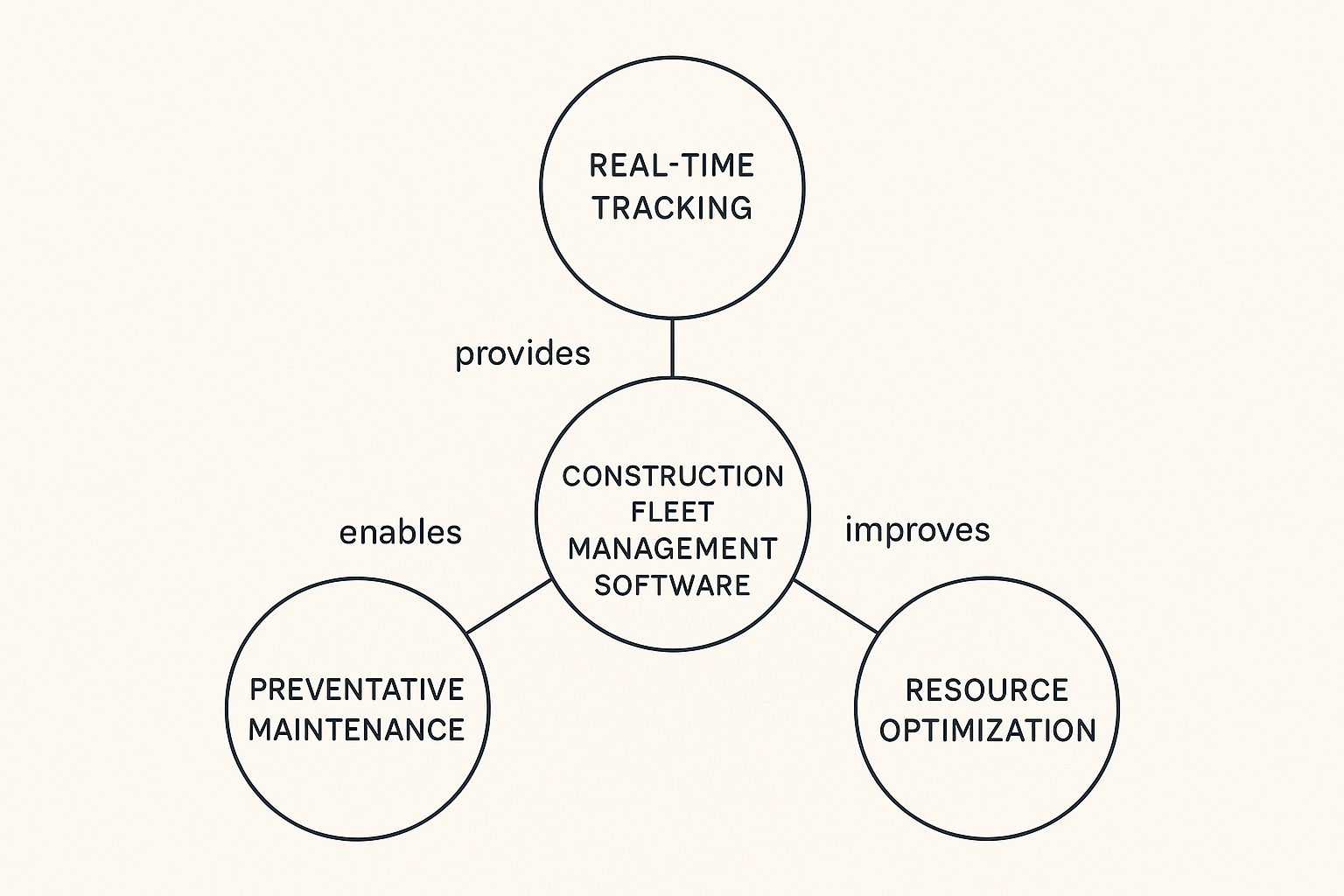
It's this mix of tracking, maintenance, and smart use that gives you full control over your most valuable machines.
The need for these tools is growing fast for a good reason. The market for this software was worth about $4.5 billion in 2024 and is set to grow by over 15% each year. This is happening because as projects get bigger, companies need better ways to manage their equipment. You can learn more about this market growth on gminsights.com.
Core Features Your Construction Firm Needs
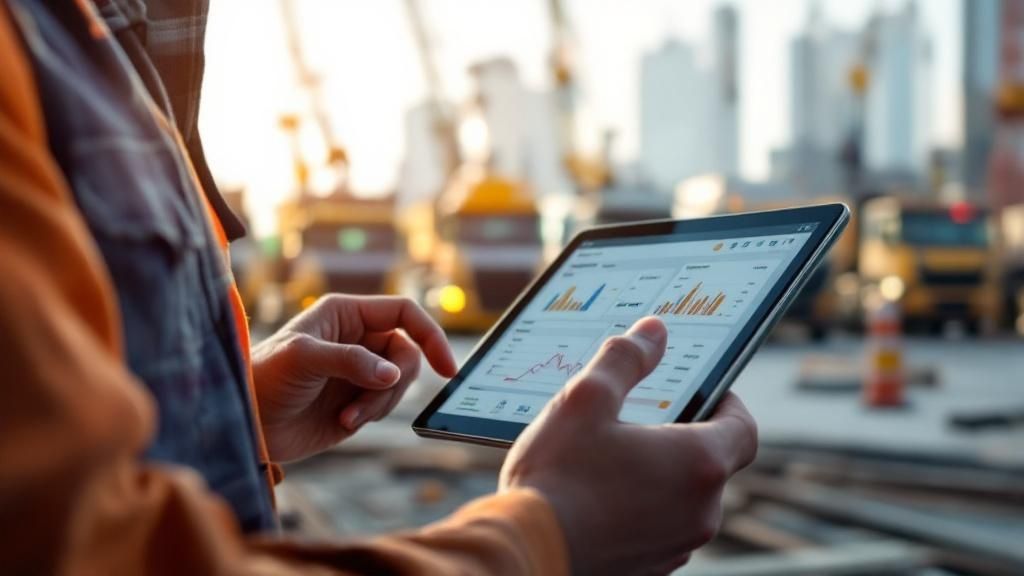
When you start looking at construction fleet management software, it's easy to get lost in technical terms. Let's make it simple. What really matters are the tools that solve the daily problems on your job site. A good system is more than just a map with dots. It's a command center that makes your whole operation run better and earn more money.
Let's look at the must-have features. These are the tools that will give you the most value and really change how you manage your equipment.
Real-Time GPS and Asset Tracking
Knowing where your equipment is is just the beginning. Modern GPS tracking gives you a live stream of information that makes a big difference. It’s the difference between guessing where your excavator is and knowing exactly where it is and what it's doing.
Imagine a foreman needs a dozer for a quick job. Instead of making many phone calls, they can see the closest available machine and send it over. This simple step saves hours and keeps the project on time. It also helps stop theft—you’ll get an alert right away if a machine leaves the site when it shouldn't.
With real-time GPS, you can stop asking "Where is my equipment?" and start planning "Where does my equipment need to go next?" This forward-thinking is key to being more efficient and protecting your machines.
Automated Maintenance Scheduling
Nothing stops a project faster than a sudden breakdown. A broken hose or a dead engine brings work to a stop. This causes expensive delays and safety risks. Automated maintenance scheduling is your best defense against these problems.
This isn't about writing notes on a calendar or trying to keep a spreadsheet updated. The software does the hard work by tracking actual engine hours and usage information right from the machine.
- Usage-Based Alerts: The system tells you when a machine, like a loader, is due for service based on how much it has actually run—not just a date on a calendar.
- Proactive Repairs: You can schedule oil changes and checks during planned downtime, not in the middle of an important task.
- Digital Service History: Every repair and service task is logged automatically. This creates a full history for each machine, which helps you see repeat issues and can even make it worth more when you sell it.
Being proactive keeps your fleet in top shape, makes your machines last longer, and cuts down on costly downtime that hurts your profits.
Fuel Management and Idling Reports
For most construction companies, fuel is one of the biggest costs. Without good information, trying to control that cost is like guessing in the dark. The right software shows you exactly where every gallon of fuel is going.
The system can quickly find which machines are burning too much fuel by idling for too long. For example, you might see a generator running for eight hours when it's only needed for two. A simple report showing this waste can lead to a quick change in how you work, saving you thousands of dollars over a year.
By tracking fuel use and idling, you get the information you need to cut waste, lower costs, and run a more efficient operation.
Geofencing for Security and Site Management
Geofencing is like drawing an invisible fence around your job sites. It's a simple idea but a very powerful tool for keeping your equipment safe and your work organized. You set up digital boundaries and make rules for when equipment should—and shouldn't—be inside them.
Here’s a quick look at how it works:
- Define Zones: You use the map to draw digital fences around your job sites, your equipment yard, and any areas that are off-limits.
- Set Up Alerts: You can set up the system to send you a text or email if a valuable machine like a skid steer moves out of its area after hours.
- Improve Accountability: Geofencing also confirms when equipment arrives at a new site. This helps you check schedules and keep project managers updated.
This feature gives you peace of mind, making sure your expensive equipment is safe 24/7 and is only used where it's supposed to be.
The Tangible Benefits of Smart Fleet Management
Putting money into construction fleet management software isn't just about watching dots on a map. It’s about making a real, measurable difference to your company's profits. The features in this software lead directly to the results that matter most: lower costs, safer sites, and equipment that lasts longer.
Think of it this way—every piece of heavy machinery you own is a huge investment. Without real data, you're guessing how to manage it. Fleet software removes the guesswork and gives you clear information to get real-world benefits.
Slashing Operational Costs
One of the first things you’ll see is a big drop in your daily running costs. Wasted fuel, surprise repairs, and unused machines can drain a project’s budget. This technology attacks those problems by giving you the data to make smarter money decisions.
For example, a fuel report might show a backhoe that’s idling for an extra two hours every single day. If a few machines are doing this, fixing that one simple issue could save you tens of thousands of dollars in fuel costs each year. Proactive maintenance alerts work the same way. They help you prevent major breakdowns before they happen, saving you from high costs for emergency repairs and downtime.
The goal is to move from reacting to costs to planning for them. Instead of paying for unexpected breakdowns, you're investing in planned maintenance that keeps your fleet running well and makes it last longer.
Boosting Job Site Safety and Compliance
A safer job site is always more productive and profitable. Detailed reports on how operators behave—like braking hard, speeding, or using equipment after hours—let you spot risky habits. Then you can provide training where it's needed. This not only prevents accidents but can also lead to lower insurance costs, since many insurance companies offer discounts for fleets that monitor safety.
This focus on safety is a huge plus of modern fleet technology. You can make sure every piece of equipment is properly checked and maintained, which is needed to meet safety rules. To get started, you can learn more about key construction site safety tips that work well with a software-based plan.
Here’s how the software helps create a safer work environment:
- Automated Inspection Reports: Digital checklists make sure operators complete their required safety checks before a shift, creating a clear safety record for every machine.
- Driver Scorecards: These reports rank operators on safety, making it easy to reward your best drivers and coach those who need help.
- Maintenance Verification: The system makes sure no machine is used unless its required service is up-to-date.
Extending the Life of Your Equipment
Heavy machinery is one of your biggest costs, so getting the most out of it is important for long-term success. Construction fleet management software is like a health monitor for every machine you own. It watches engine information, run hours, and problem codes to protect your investment.
When you get an alert about a small engine issue, you can schedule a fix before it turns into a huge problem. This proactive approach to maintenance means less wear and tear over time. This can add years to the life of your excavators, loaders, and trucks.
This is all part of a bigger change toward smarter, data-driven work. The global fleet management software market is expected to grow from $24.04 billion in 2024 to about $53.16 billion by 2029. This huge growth is driven by technologies like GPS, AI, and smart analytics that improve safety and efficiency. You can learn more about this growing market and its key drivers. By investing now, you put your company in a great spot to benefit from these powerful tools.
How to Choose the Right Software for Your Business

Picking the right construction fleet management software can feel like a lot, but it doesn't have to be. If you break it down into simple steps, it’s much easier to find a tool that fits your company perfectly.
The real goal isn't just to buy a product. It's to find a partner that will truly support your work for years to come. That starts by taking a close look at your own business. What works for a huge company is probably too much for a smaller, specialized one.
Assess Your Fleet's Unique Needs
Before you look at any software, you need to know what you have and what you need. Every construction company is different, and the "best" software is the one that solves your specific problems.
Start by asking a few basic questions about your equipment and how you work. A general, one-size-fits-all tool rarely works in construction. You need a system built for job sites, heavy equipment, and different types of machines.
Think about these key areas:
- Fleet Makeup: Are you tracking heavy machines, trucks, small tools, and attachments all at once? Some software is great for trucks but not for the mix of equipment on a construction site.
- Your Data Priorities: What information is most important to you right now? Is it GPS tracking to stop theft, watching idle time to cut fuel costs, or automating your maintenance schedule?
- Biggest Headaches: What are the daily problems that drive you crazy? Sudden breakdowns? Messy dispatching? Job costs that are never quite right? Focus on those pain points first.
Answering these questions will give you a clear idea of what you need the software to do. This simple step helps you quickly rule out options that aren't a good fit.
Evaluate Scalability and Future Growth
The software you choose today has to be able to grow with your business tomorrow. Think about it: if your company doubles in size in five years, will your software handle twice the equipment and data without slowing down?
A scalable system lets you add more equipment, users, and features as you grow. This keeps you from having to go through this whole stressful process again in a few years.
"If we wanted to keep growing, we were going to need a much better way to manage the fleets… to continue to grow and scale up, we needed to have a system that could scale up with us."
– Alessandro Salvo, CEO, GS Construction
When you talk to companies, ask them directly how their software handles growth. How easy is it to add new tracking devices? Does their price still make sense as your fleet gets bigger? Making a smart choice now will save you a lot of trouble later.
Prioritize Ease of Use and Integration
The fanciest software in the world is useless if your team finds it hard to use. The dashboard and mobile app need to be easy for everyone to understand—from the project manager in the office to the mechanic in the shop and the operator in the field. A clean, simple mobile app isn't just nice to have; it's a must.
Just as important is how this new software works with the tools you already use. Integration is what turns another piece of software into the main hub for your work.
When your fleet software can share data with your accounting or project management software (like Viewpoint or Procore), you get rid of the boring task of typing in data by hand. This doesn't just save time; it reduces the risk of costly mistakes.
Connecting fleet data to your finances is also a key part of good construction project scheduling software. It makes sure your timelines are based on real equipment availability and costs. Always ask potential software companies for a list of their integration partners to make sure they'll fit with how you already work.
Software Feature Checklist for Construction Firms
To help you compare different options, we've put together a checklist of key features. Use this table to rank what's most important for your company and make notes as you look at each one.
| Feature | Importance Level (High/Medium/Low) | Notes for Your Firm |
|---|---|---|
| GPS & Telematics | High | Real-time location, geofencing, theft alerts |
| Engine Hour Tracking | High | Automates maintenance, helps with billing |
| Preventive Maintenance | High | Custom schedules, work orders, parts inventory |
| Mobile App | High | Easy for field teams, inspections, photo uploads |
| Fuel Management | Medium/High | Tracks fuel use, monitors idle time, card connection |
| Utilization Reports | Medium/High | Finds unused machines, helps get the right fleet size |
| Third-Party Integrations | Medium | Connects to accounting, project management software |
| Driver/Operator Scorecards | Medium | Monitors safety, improves performance |
| Diagnostic Trouble Codes | Low/Medium | Early problem alerts from the machine's computer |
| Small Tool Tracking | Low/Medium | Tags or codes for tools without power |
This checklist doesn't cover everything, but it includes the main functions that most construction firms need to get the best return on their investment. Change it to match your specific goals.
Rolling Out Your New Fleet Management System
Getting new technology set up and running well is key to seeing results quickly. The rollout of your construction fleet management software doesn’t have to be a pain. If you break the process into simple steps, you can launch the system with little trouble and start seeing benefits right away.
Think of it like a small construction project: you need a good plan before you start. A successful launch gets your team on board from day one and helps them see how the new tools will make their jobs easier, not just add another task to their day.
Plan Your Goals and Set a Timeline
Before you even think about installing anything, you need to define what success looks like. Why are you buying this software? Setting clear, specific goals gives the whole process a purpose and lets you measure your success later.
Your goals should be measurable. For example, you might aim to:
- Reduce fuel costs by 10% in six months by cutting down on engine idling.
- Decrease unexpected equipment downtime by 25% with planned, automated maintenance.
- Stop all unapproved after-hours equipment use by setting up geofencing alerts.
Once your goals are set, create a realistic timeline. Don't try to set up everything for your entire fleet at once. Starting in phases is almost always more successful and less disruptive to your daily work.
Start with a Small Pilot Program
A pilot program is your secret weapon for a smooth rollout. Instead of putting the software on all 100 of your machines, start small with just five or ten. This small-scale test lets you work out any problems in a low-pressure way.
A pilot program is your dress rehearsal. It lets you find and fix problems with a small group of users before the main show, ensuring a much smoother launch for the whole company.
During this test, you can make sure the hardware installation is easy, the software is set up correctly, and your team knows how to use the basic features. The feedback you get from this first group will be very helpful for improving your training and full launch plan.
Focus on Team Training and Buy-In
The best software in the world is useless if your team doesn't use it. Getting everyone on board, especially your operators in the field, is a must. You have to show them that the technology is a tool to help them, not just a way for the office to watch them.
Focus on the benefits that matter to them:
- Better Safety: Show them how operator scorecards can prove they are safe drivers.
- Less Downtime: Explain that planned maintenance means fewer frustrating breakdowns in the middle of a job.
- Clearer Communication: Show them how the mobile app makes it easier to report problems or get help.
Good training is more than just one meeting. Offer hands-on sessions, create simple instruction sheets, and be ready to answer questions. Remember that some team members, like subcontractors, may need special help. Knowing how to hire subcontractors and bring them into your new digital system is a key part of the process.
This careful approach is important in a growing field. The global fleet management software market is expected to reach $34.1 billion by 2025, as companies look for ways to automate work and improve efficiency. With more companies using this technology, it's becoming a must-have. You can learn more about this expanding market and its trends. By setting up your system the right way, you position your company to get the most out of these powerful tools.
The Future of Construction Fleet Management
The world of construction fleet management is changing quickly. The technology we have today is already powerful, but what's coming next is even more exciting. The software you choose now isn't just about fixing today’s problems. It’s about getting your business ready for a future that’s more connected, smart, and able to predict what will happen.
To stay ahead, you need to keep an eye on new ideas that will soon be common. These changes will give managers more control and information than ever before. They will completely change how projects are planned and carried out. Let's look at the key trends that will shape the next version of construction fleet management software.
From Reactive Alerts to Predictive AI
For years, fleet management has been about reacting to information. You get an alert that a machine has a problem, and you schedule a repair. The future, with Artificial Intelligence (AI), is about acting before the problem even happens.
Think of it this way: your current system is like a smoke detector—it warns you about a fire that's already started. AI-powered maintenance is like a system that spots a bad wire and tells you to fix it before it can start a fire. By looking at thousands of pieces of data—like engine temperatures, vibrations, and past repair records—AI can predict a potential breakdown very accurately.
This change from reacting to predicting will be one of the biggest game-changers for construction. Instead of losing a week of work because of a failed part, you'll replace it during planned downtime. That alone can save thousands in lost work time.
Drones and Full-Site Visibility
While software gives you a clear picture of your equipment, drones are starting to give a full view of your entire job site. When you combine drone data with your fleet management software, you get a very powerful tool.
Imagine a daily drone flight that not only tracks project progress but also checks the location and condition of every machine on a huge site. This view from above is a big help for planning, security, and logistics. It’s especially important for complex jobs with a lot of groundwork, like those involving underground utility services. Knowing the exact location of equipment is everything in these cases.
This combination gives you one screen that shows it all:
- Asset Location: See the live GPS location of your dozer.
- Site Context: See a high-quality aerial image of exactly where that dozer is working.
- Progress Tracking: Compare today's site map to yesterday's to see how much earth was moved.
Sustainability and Carbon Footprint Tracking
Protecting the environment isn't just a popular idea anymore; it's becoming a major focus in construction. More and more, clients and government agencies are asking for proof that companies are being eco-friendly. The next version of fleet management software will make this much easier to track and report.
New features are starting to appear that automatically track your fleet’s carbon footprint. By watching fuel use, idle time, and engine emissions, the software can figure out the environmental impact of your work. This data lets you set goals for reduction, find your least efficient machines, and provide solid proof of your green efforts.
Frequently Asked Questions
When you're looking into construction fleet management software, a lot of questions come up. Here are some simple answers to the questions we hear most often from construction companies.
How Long Does It Take to Get a System Running?
You can expect it to take anywhere from a few weeks to a couple of months. For a small test with 5-10 machines, you could be set up in a week or two. A full rollout depends on your fleet size and how complicated the installations are.
The setup usually follows these steps:
- Planning: Figure out your goals and pick the right software (1-2 weeks).
- Hardware Installation: Get GPS trackers installed on all your machines (1-3 weeks, based on fleet size).
- Team Training: Make sure your office staff and field crews are comfortable using the new system (1-2 weeks).
What Kind of Equipment Can Be Tracked?
Just about everything. Modern systems are built for the mix of machines you find on job sites, so you can track all your equipment in one place.
This includes heavy equipment like excavators and dozers, trucks, and even smaller tools. A good system handles this variety with no problem.
Is This Software Difficult for Field Crews to Use?
Not at all—the best software is designed just for them. Most come with a simple mobile app for any smartphone or tablet (iOS and Android).
The whole point is to make your crew's job easier, not add another headache. A well-designed app lets them handle inspections, report problems, and check schedules with just a few taps.
From the app, operators can complete daily vehicle inspection reports (DVIRs), send in maintenance requests with photos, and see their assignments for the day. The design is so easy to use that training is quick, making it simple for your team to start using it.
Ready to get complete control over your equipment and streamline your operations? The team at Coastal Pipeline Inc. has the hands-on experience to help you integrate modern technology with proven construction practices. Contact us today to learn how we can support your next infrastructure project.