
To read a set of construction blueprints, you need to know where to start. It’s a bit like learning a new language—you start with the basics. That means decoding the title block, understanding the scale, and learning the language of the lines and symbols that make up the drawings. Once you have that down, you can navigate through the different sheets, from architectural and structural plans to MEP (Mechanical, Electrical, and Plumbing).
Your Starting Point: Unlocking the Title Block
Every set of construction drawings, no matter how big or small, has one place you absolutely must start: the title block. You’ll almost always find it in the bottom right-hand corner of every single page. Think of this box of text as the project’s command center.
Trying to read a blueprint without checking the title block first is a recipe for disaster. It’s where all the crucial, top-level information lives. Before you even think about looking at a dimension or a wall detail, you need to spend time here.
The Anatomy of a Title Block
The title block packs in all the essential administrative and technical info for that specific drawing. While the layout might look a little different from one architect to the next, the core components are always there.
You can always count on finding:
- Project Name and Address: The official name of the project and its physical location. This is your first check to make sure you’re even looking at the right set of plans.
- Sheet Title: This tells you exactly what the drawing is showing, like "First Floor Plan," "East Elevation," or "Foundation Details."
- Sheet Number: A unique code that keeps the entire set organized. Architectural plans, for instance, usually start with an "A" (like A-101), while structural plans start with an "S" (S-201).
- Architect/Engineer Information: The name, logo, and contact info for the firm that created and stamped the drawing. This tells you exactly who to call when you have questions.
Pro Tip: One of the most common—and costly—mistakes on a job site is working from an old drawing. The title block has a revision table with dates and descriptions of every change. Always double-check that you're using the latest version to avoid rework.
Your Roadmap and Dictionary
On the cover sheet or one of the first few pages, you’ll find two other critical tools: the sheet index and the legend. These are your guides for the entire plan set.
The Sheet Index (sometimes called a Drawing Index) is the table of contents for the whole project. It’s a complete list of every single drawing, telling you which sheet number goes with which plan. If you need to find the plumbing layout, a quick scan of the index will point you to the "P-series" drawings.
The Legend, on the other hand, is your dictionary. It defines all the symbols, abbreviations, and line types used throughout the plans. Every symbol—from a simple circle for a light fixture to a specific hatch pattern for concrete—is spelled out here. It also decodes common abbreviations like:
- AFF (Above Finished Floor)
- OC (On Center)
- UNO (Unless Noted Otherwise)
For any project involving site work, a deep understanding of the existing infrastructure is non-negotiable. A detailed site plan, usually one of the first drawings, will show everything from property lines to utility connections. These details are vital for planning work like installing new sewer or water lines, which requires expertise in existing systems. To see what this specialized work involves, you can learn more about underground utility services and see how they tie into the overall project plans.
Once you’ve got a handle on the title block, index, and legend, you have the foundation you need to read any blueprint. From there, you can dive into the specifics of each drawing with confidence.
Mastering Scale and Measurement on Blueprints
Think of a blueprint as a detailed map for your construction project. Just like a map of a city, it needs a way to represent massive structures on a manageable sheet of paper. That crucial link is scale. Without it, the plans are just lines and shapes. With it, you can pull precise, actionable measurements right off the page.
Scale is simply the ratio that tells you how a measurement on the drawing translates to the real world. You’ll almost always find it in the title block or right under a specific drawing’s title. It's a critical habit to check the scale on every single sheet you work with, because it often changes. A site plan covering a large area will have a different scale than a close-up drawing of window flashing details.
This image breaks down some of the most common scales you’ll see and what they mean in the real world.
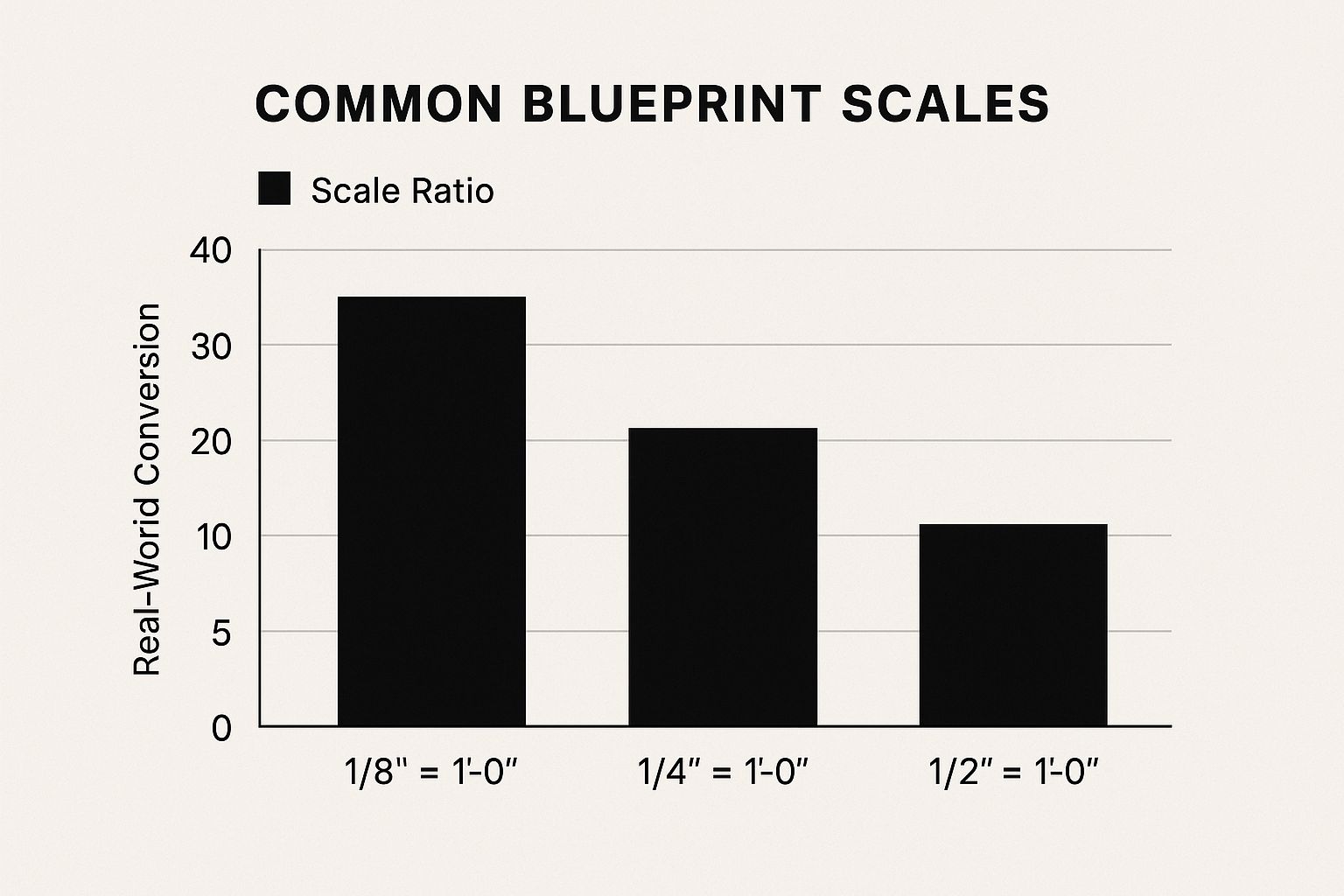
As you can see, a larger fraction (like 1/2" = 1'-0") allows for much more detail than a smaller one (like 1/8" = 1'-0").
Architectural vs. Engineering Scales
On the job site, you'll constantly run into two main types of scales: architectural and engineering. They are not interchangeable, and mixing them up is a surefire way to cause expensive mistakes.
- Architectural Scale: This is the go-to for buildings. It’s based on fractions of an inch representing one foot (e.g., 1/4" = 1'-0"). You'll see it on floor plans, elevations, and building sections. The triangular ruler used to read these is an architect's scale.
- Engineering Scale: This one is used for large-scale site work, like civil drawings that show property lines or utility layouts. It’s based on a direct ratio (e.g., 1" = 20'). The engineer's scale ruler is divided into multiples of 10, 20, 30, and so on.
Let's take a look at the most common scales you'll encounter and where they are typically used.
Common Blueprint Scales and Their Applications
| Scale Notation | Type | Common Application | Real-World Representation |
|---|---|---|---|
| 1/8" = 1'-0" | Architectural | Overall floor plans and elevations for large buildings. | Each 1/8 inch on the drawing equals 1 foot in reality. |
| 1/4" = 1'-0" | Architectural | The most common scale for residential and small commercial floor plans. | Each 1/4 inch on the drawing equals 1 foot in reality. |
| 1/2" = 1'-0" | Architectural | Enlarged plans for kitchens, bathrooms, or complex areas. | Each 1/2 inch on the drawing equals 1 foot in reality. |
| 1" = 1'-0" | Architectural | Detail drawings for specific connections or custom millwork. | Each 1 inch on the drawing equals 1 foot in reality. |
| 1" = 20' | Engineering | Site plans, grading plans, and utility layouts. | Each 1 inch on the drawing equals 20 feet in reality. |
| 1" = 50' | Engineering | Large-scale civil plans showing property lines and overall site context. | Each 1 inch on the drawing equals 50 feet in reality. |
Knowing where to expect each scale helps you quickly orient yourself within a complex set of plans and spot potential errors faster.
Pro Tip: Always, always use the printed dimension strings on the blueprint as your official measurement. Only use a scale ruler to find a missing dimension or to get a quick feel for a space. The printed number is a direct instruction from the designer; a scaled measurement is just your interpretation.
When to Pull Out Your Scale Ruler
Let’s say you need to confirm there's enough clearance for your heavy equipment on a site plan before you start digging. First, find the scale on that sheet—we'll say it's 1" = 20'. Grab your engineering scale and find the side marked "20."
Place the "0" mark at the start of the access path and read the distance in feet along the ruler. This quick check can save you from major headaches and costly delays. It's an especially vital step during initial site prep, like when performing professional land clearing for construction in Monterey, to make sure all your work stays within the project boundaries.
What Does "NTS" Mean?
Every now and then, you’ll see a drawing or detail labeled "NTS," which stands for Not To Scale. This is a big red flag. It means you should not, under any circumstances, use a ruler to measure anything on that drawing.
NTS drawings are purely illustrative. They're there to show how different parts fit together conceptually, not to give you exact dimensions. When you see NTS, you have to rely completely on the written dimensions provided.
Decoding the Language of Lines and Symbols
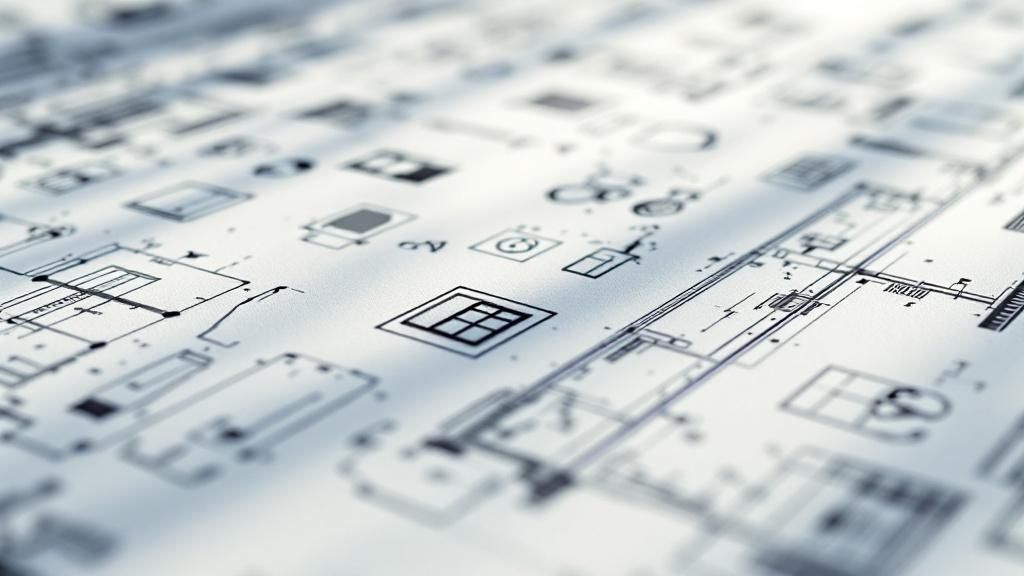
Think of the title block and scale as the grammar of a blueprint. If that’s the case, then the lines and symbols are the words themselves. This visual language is what turns a blank sheet into a precise set of instructions, and learning to speak it is essential for understanding any set of plans.
At first glance, a drawing can look like a total mess of overlapping information. The trick is to see it in layers. You have to train your eye to recognize that different lines and symbols represent different systems—separating the structural frame from the electrical layout or the plumbing from the walls. With a bit of practice, you’ll see the order in the chaos.
Understanding the Alphabet of Lines
The lines on a blueprint are never random. Their thickness and style tell you exactly what you’re looking at. A thick, solid line has a completely different meaning than a thin, dashed one, and mastering these differences is your first step to really decoding a drawing.
You’ll run into a few key line types on almost every plan:
- Object Lines: These are the boldest lines on the page—thick, dark, and continuous. They show the main, visible outlines of a structure or feature, like walls, floors, and roofs. Think of them as the most important parts of the drawing.
- Hidden Lines: Drawn as medium-weight dashed lines, these show you what’s hiding behind a surface. For instance, a floor plan might use hidden lines to indicate the foundation footings running below the concrete slab.
- Center Lines: Made of alternating long and short dashes, these thin lines mark the center of an object like a column or a symmetrical element like a window. They’re critical for accurate dimensioning.
- Phantom Lines: You'll spot these as thin lines with one long dash followed by two short dashes. They’re used to show alternative positions for moving parts (like a door swing), repeating details, or related objects that aren't technically part of the main drawing.
Key Takeaway: Line weight creates a visual hierarchy. The thicker the line, the more important the object. This simple rule helps your brain instantly prioritize what matters most on a busy plan.
Translating Common Construction Symbols
Symbols are the shorthand that keeps blueprints from getting buried in text. Instead of writing “single-hung window” a dozen times, an architect just uses a simple, standardized symbol. While the legend on the first few sheets is your official dictionary, you'll pick up the common ones pretty fast.
Here are some of the most frequent symbols you’ll need to know:
- Doors: A straight line attached to a wall with a quarter-circle arc shows a standard swing door. That arc is crucial—it shows you which way the door swings and how much clearance it needs.
- Windows: These are usually shown as a rectangle inside a wall line, often with a few thinner lines inside to represent the glass and sash.
- Electrical: These are everywhere. A circle with two parallel lines is your standard wall outlet. A circle with a "T" inside is a thermostat. An "S" symbol next to a door almost always marks a light switch.
- Plumbing: Circles are often used for drains, while unique icons denote toilets, sinks, and showers.
Mastering Blueprint Shorthand and Abbreviations
On top of symbols, blueprints are loaded with abbreviations to save space. Most are defined in the legend, but some are so common they’ve become a second language on the job site. You'll see them in notes, schedules, and right on the plans.
Here are a few you absolutely have to know:
- OC (On Center): This means the measurement is from the center of one component to the center of the next. It’s constantly used for framing, as in "studs at 16" OC."
- AFF (Above Finished Floor): Specifies the height of an item—like a light switch or countertop—from the top of the finished floor surface.
- UNO (Unless Noted Otherwise): This is a catch-all. It means a standard detail or spec applies everywhere unless a specific note on the plan says something different.
- BOF (Bottom of Footing): Refers to the elevation at the very bottom of the foundation’s concrete footing.
- TOC (Top of Concrete): Marks the target elevation for the top surface of a concrete slab or wall.
Understanding this shorthand is critical, especially for systems that run underground. Knowing the AFF for plumbing fixtures is one thing, but it’s just as vital to see how utility lines connect to the building. Complex systems like gas lines require specialized knowledge. To get a better idea of what goes into these installations, it helps to see the work that a professional underground gas line installation contractor performs, as their entire job relies on the precise interpretation of these very symbols and notes.
Once you combine your knowledge of lines, symbols, and abbreviations, the drawing transforms. It’s no longer just a confusing page of ink; it’s a clear, layered set of instructions for bringing a building to life.
Navigating a Complete Set of Construction Drawings
A construction project is never built from a single drawing. Instead, it’s brought to life through a whole set of coordinated plans. You have to understand how each sheet works with the others to move from just reading a page to truly understanding the entire build. Think of it like a book—you can't just read one chapter and expect to know the whole story.
This system is essential. The global construction industry was valued at an estimated $8.2 trillion in 2022, and the complexity of modern projects demands a clear, universal language. That's exactly what a structured set of drawings provides. It makes sure everyone, from the architect to the specialty trade contractors, is working from the same playbook.
The Typical Sheet Order
While every project has its own quirks, most drawing sets follow a standard order. This sequence is designed to move you logically from the big picture down to the smallest details. The sheet numbering system, found in the title block, is your road map.
It usually follows this progression:
- C – Civil Sheets: These plans lay out the entire site, covering grading, drainage, property lines, and utilities.
- A – Architectural Sheets: This is the core of the plan set, showing floor plans, elevations, sections, and finishes.
- S – Structural Sheets: These focus on the building's skeleton—the foundation, framing, columns, and beams that hold it all up.
- M, E, P – MEP Sheets: This group covers the systems that make a building usable: Mechanical (HVAC), Electrical (power and lighting), and Plumbing (water and waste).
Knowing this order is a huge time-saver. Need to check the building's layout? Grab the A-sheets. Worried about a support beam? Head straight for the S-sheets.
What to Look For on Each Plan Type
Each type of drawing contains specific information vital for different trades. As you get more comfortable with reading plans, you'll develop a feel for what to expect on each page. Civil plans, for instance, are the foundation for any work happening at ground level. They give you the context for site prep and utility tie-ins. The level of precision needed here is immense, which is why specialized commercial excavation contractors are brought in to turn these lines on paper into reality.
Key Takeaway: No single drawing tells the whole story. The architectural floor plan shows where a wall is, the structural plan tells you what it’s made of, and the electrical plan shows you where the outlets go. You have to read them together.
Civil and Architectural Drawings
Always start with the Civil (C) sheets. These drawings place the building within its environment. Here you’ll find property boundaries, existing and proposed ground elevations (topography), and the locations for utility connections like water mains and sewer lines.
From there, move to the Architectural (A) sheets. The floor plans are probably the most-used drawings in the entire set. They give you room layouts, dimensions, and the locations of doors and windows. Then you have the elevation drawings, which show what the building will look like from the outside and specify materials like brick, siding, or roofing.
Structural and MEP Drawings
Next up are the Structural (S) sheets, which reveal the building's bones. These plans are all about safety and stability. You’ll find details on the foundation, including footing sizes and rebar placement. They also specify the size and spacing of floor joists, roof rafters, and support columns.
Finally, the MEP (M, E, P) sheets add the building’s vital systems.
- Mechanical plans show the HVAC ductwork and equipment.
- Electrical plans map out every switch, outlet, and light fixture, along with panel box locations.
- Plumbing plans detail the entire water supply and drainage system, from sinks and toilets to floor drains and water heaters.
Interpreting Plans, Elevations, and Sections

The real trick to reading blueprints is learning to see a three-dimensional building from a stack of flat, two-dimensional drawings. It's a skill, and it all comes down to understanding the different points of view the plans give you—specifically plans, elevations, and sections.
When you put them all together, they create a complete, buildable picture of the final structure. Think of it like describing an object you’re holding. You’d show what it looks like from the top, the side, and maybe what it looks like if you cut it in half. That's exactly what these drawings do for a building.
Distinguishing Between Key Drawing Views
The drawings you'll flip to most often are the plan views, elevations, and sections. Getting a handle on how they differ is the first step to seeing how they all work together.
A Plan View is your bird's-eye perspective, looking straight down at a floor. It’s like you peeled the roof off and are looking at the layout of rooms, walls, doors, and windows. This view gives you the dimensions and flow of the space.
An Elevation shows you a building’s exterior from one side at a time. A complete set of plans will give you at least four elevations—North, South, East, and West—showing you exactly what the building will look like from the outside. These drawings detail the exterior finishes, roof pitches, and window styles.
A Section View is a slice right through the building, from top to bottom. Picture cutting into a layer cake to see the cake, frosting, and filling. A section view does the same thing for a building, showing you how the walls, floors, and roof are actually put together. It reveals the guts of the construction.
Key Takeaway: Plans show you what and where. Elevations show you what it looks like. Sections show you how it’s built. You need all three to get the full story.
Following Callouts to Find Critical Details
As you look over a floor plan or an elevation, you'll see small symbols called callouts or reference markers. These are your road signs, pointing you from a general drawing to a much more detailed one. Getting these wrong is a classic mistake and a huge source of rework on the job site.
A callout is usually a circle or a polygon with numbers and letters inside. It flags a specific area and points you to another drawing sheet where that area is shown blown-up and in high detail.
For example, you might find a callout:
- On a floor plan, circling a complex staircase or wall connection.
- On an elevation, pointing to a specific window or a tricky roof overhang.
This little symbol gives you two critical pieces of information:
- The Detail Number: This tells you which specific detail drawing to look for.
- The Sheet Number: This tells you which page in the plan set has that detail.
The Importance of Detail Drawings
Following these callouts takes you to the detail drawings, and this is where the real building instructions live. While a floor plan shows a wall, the detail drawing shows you precisely how to build that wall—from the concrete footing all the way up to where it meets the roof.
Detail drawings are drawn at a much larger scale, like 1" = 1'-0" or even bigger, so you can see exactly how different materials connect and how every component fits together. This is where you find the info that prevents leaks, structural failures, and other expensive headaches down the road.
Common things you’ll find in detail drawings include:
- Window and Door Flashing: How to properly waterproof around every opening.
- Foundation Footings: The exact dimensions and rebar placement for the building's base.
- Wall Assemblies: The specific layers of a wall, including sheathing, insulation, and vapor barriers.
- Roof Eaves: How the roof overhang connects to the wall and handles water runoff.
If you can't follow the breadcrumbs from general plans to these specific details, you’re only seeing a fraction of the story. The details are where the architect’s and engineer’s plans turn into actionable, real-world building steps. Mastering this is what separates someone who can just look at a blueprint from someone who can truly read it.
Common Questions About Reading Blueprints
No matter how long you've been in the field, questions always come up on the job site. Reading construction blueprints is a skill you build over a lifetime, and figuring things out on the fly is just part of the process. I've heard these same questions come up again and again over the years, so here are some straightforward answers to help you read plans with more confidence.
What Is the Most Important Sheet in a Set of Blueprints?
You could argue that every single sheet is vital for the trade it represents, but if I had to pick one, it's the architectural floor plans (A-sheets). These are the heart of the project.
Think of the A-sheets as the master guide. They show the overall layout, the dimensions, and the big-picture context that everything else—structural, mechanical, electrical—is built upon. If you ever feel turned around in a complex set of drawings, go back to the architectural plans. It’s the best way to get your bearings.
How Do I Handle Conflicting Information Between Drawings?
It's not a question of if you'll find a conflict between drawings, but when. It happens all the time, and knowing the right way to handle it is absolutely critical.
Your first move is to check the revision dates in the title block on each sheet. The rule is simple: the newest drawing wins. It automatically supersedes any older versions. If the drawings have the same date but still contradict each other, you have to submit a Request for Information (RFI) to the architect or engineer to get an official clarification.
Critical Advice: Never, ever guess. Don’t make an assumption to solve a conflict on your own. A simple guess can quickly turn into thousands of dollars in rework, major schedule delays, and even serious safety problems. Always get the answer in writing through an RFI.
What Is the Difference Between Architectural and Structural Plans?
This is a really common point of confusion for anyone new to reading prints. While both sets of plans describe the same building, they're focused on completely different things.
- Architectural Plans (A-sheets): These are all about the building's look, feel, and function. They define room sizes, what finishes go where, how the building is supposed to look, and where doors and windows are placed.
- Structural Plans (S-sheets): These plans detail the building's skeleton. They show the foundation, framing, columns, beams, and everything else that holds the building up safely and supports all the weight.
The two sets are designed to work hand-in-hand. The architectural plan shows you where a wall is located, and the structural plan tells you what kind of footing that wall needs to sit on.
A lot of this foundational work starts with what's shown on the civil and structural drawings. For a closer look at the groundwork these plans specify, it’s helpful to understand what goes into the initial site prep. Our guide on understanding excavation and what it means for a project's foundation is a great resource. This is the first phase of construction, where getting the blueprints right is absolutely essential for a successful build.
At Coastal Pipeline Inc., we transform complex blueprints into high-performance infrastructure every day. Our expertise in underground utilities, excavation, and paving ensures your project is built to spec from the ground up. To discuss how our team can support your next project, visit us at https://coastalpipelineinc.com.